

Pipedrive bulk email. Send at scale, stay personal.
Personalized campaigns up to 1,000,000 emails, with contacts straight from Pipedrive.
- Solves
- Your segments live in Pipedrive, but your campaigns go out through a separate tool.
- Who it is for
- Teams that send campaigns at volume, with their own SES or Mailgun account
- Price
- On requestPrice depends on your situation
- Implementation
- €500 one off, excluding VATSet up by Sales Surge. The licence is separate.
- Works with
- Pipedrive, Amazon SES, Mailgun
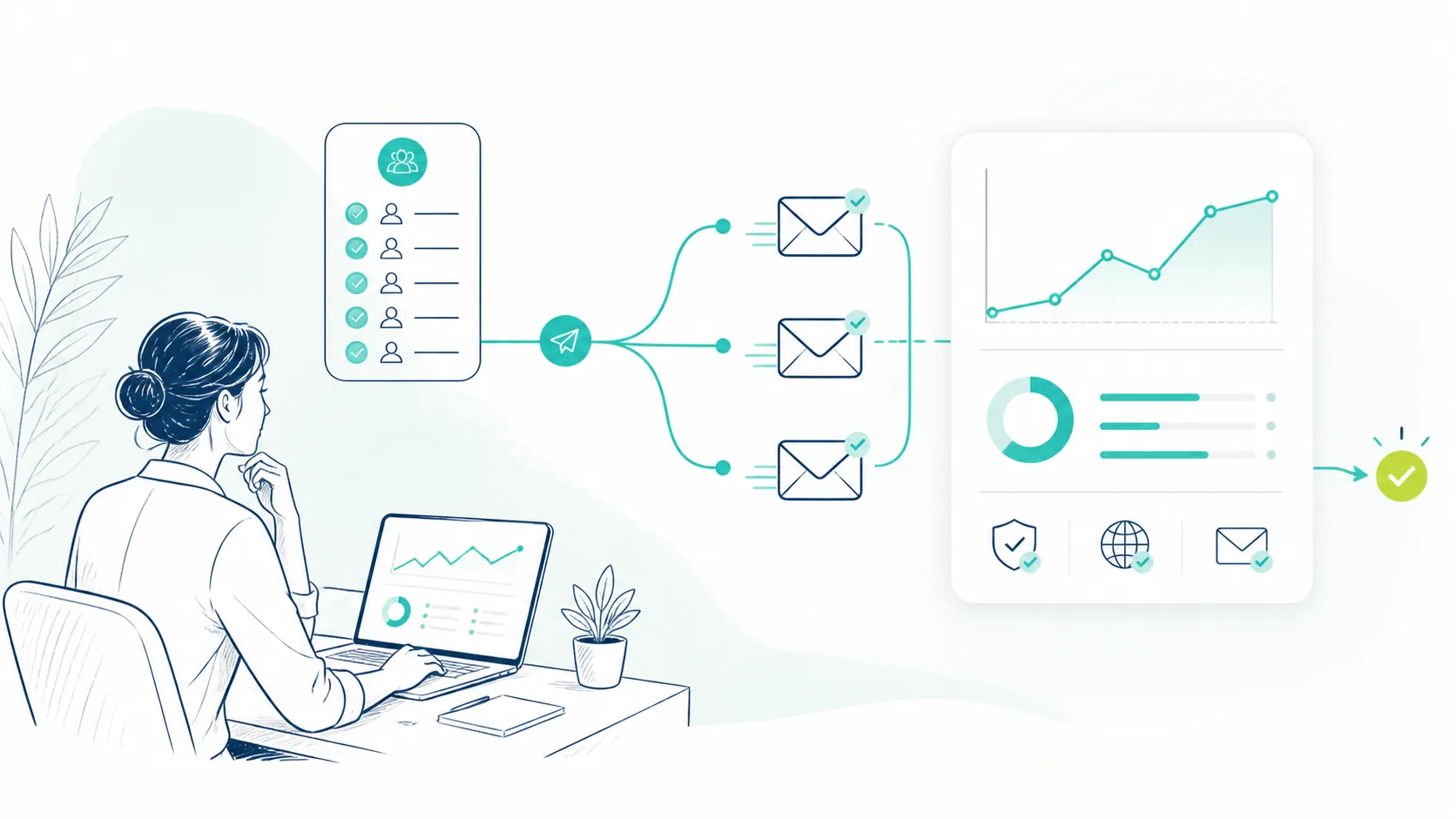
What it does
Up to 1,000,000 emails
For campaigns well past what a sequence tool handles.
Contacts from Pipedrive
Audiences come straight from your CRM, so your segments stay current.
Error log per email
You see what went wrong, so you clean data instead of guessing.
Who it is not for
Cold email and a handful of personal emails a week to prospects, for the reasons in the section on when not to use Surge Reach. And if you do not want to manage your own SES or Mailgun account, Pipedrive Campaigns is the simpler choice.
Built for Pipedrive

Built by a Pipedrive Platinum Partner, top 8 worldwide since July 2026.
In short
Surge Reach sends personalized email campaigns of up to 1,000,000 emails to contacts in Pipedrive. You pick a Pipedrive filter as the audience, write a template with variables and send through your own Amazon SES or Mailgun account. Unsubscribes and bounces go on a suppression list, and the error log shows what went wrong for each failed email.
Source: Sales Surge, product information November 2026
Can you send bulk email from Pipedrive?
Yes, up to a point. Pipedrive has Campaigns for newsletters and mailings, with a monthly sending allowance that depends on your plan. For a few thousand contacts a month that is often enough. Check the current limits with Pipedrive, because they change.
Surge Reach covers the volumes beyond that: up to 1,000,000 emails. Your contacts stay in Pipedrive. Surge Reach reads them from a filter and, if you switch it on, logs every send as an activity on the person.
When Campaigns is the better fit: a monthly newsletter to a few thousand customers, with no sending service of your own. Then you need nothing extra and there is less to look after.
What do you need for good deliverability?
A domain that mail servers trust and a list that is accurate. Without those two any mail tool fails, this one included. Google and Yahoo have tightened the rules for bulk senders since 2024. Get these right before you send at volume:
- SPF. A DNS record that says which servers may send on behalf of your domain. Your SES or Mailgun account belongs in it.
- DKIM. A digital signature on every email, so the receiver can see nothing changed on the way.
- DMARC. The policy that tells receivers what to do with mail that fails SPF or DKIM. Start in monitoring mode and only tighten it later.
- A warm-up plan. A new domain or sending address does not send 50,000 emails on day one. Start with a few hundred a day to your most engaged contacts and build up over several weeks.
- A bounce threshold. If hard bounces or spam complaints start to climb, stop and clean the list. Mailbox providers lower your reputation fast, and recovery takes weeks.
- An unsubscribe link. In every email, working in one click. Surge Reach puts it in the footer and adds anyone who unsubscribes to the suppression list.
A clean list starts before you send. Remove duplicate people with Surge Dedupe and leave out addresses that hard bounced before.
How does a campaign work in Surge Reach?
Four steps, from a filter in Pipedrive to a report per recipient.
- Segment from Pipedrive. You pick a filter you already have in Pipedrive, for example every contact at customers in healthcare. Surge Reach turns that filter into a recipient list. For most filters that takes seconds.
- Template with variables. You write the email in the visual editor or in HTML, with variables like first name and any custom field from Pipedrive. A plain text version and a preview come with it.
- Send through your own account. Emails leave through your Amazon SES or Mailgun account, at a rate per minute you set. You can schedule a campaign ahead and test two subject lines against each other.
- Error log and reporting back. Per recipient you see whether the email was sent, delivered, opened, clicked, bounced or unsubscribed. Every failed email shows why.
Surge Reach or Instantly?
They do different jobs. Instantly is built for cold outreach: sequences to new prospects, spread across several mailboxes, with warm-up built in. Surge Reach is for bulk email to contacts you already know.
| Surge Reach | Instantly | |
|---|---|---|
| Audience | Contacts already in Pipedrive | New prospects |
| Volume | Up to 1,000,000 emails | Capped per mailbox per day, spread across several mailboxes |
| Format | One campaign, optionally with a subject line test | A multi-step sequence with follow-ups |
| Sending | Your own SES or Mailgun account | Your own mailboxes, through Instantly |
| Typical use | Product news, events and reactivating customers | Cold outbound to an ICP list |
We are an Instantly Certified Expert and use Instantly for outbound. Surge Reach handles what comes after, once someone is already a customer or a contact.
When should you not use Surge Reach?
For cold email to bought or scraped lists. Under GDPR and the rules on unsolicited email that quickly becomes a problem. It also burns the domain reputation you need for your customer email.
Nor for thirty personal emails a week to prospects. A sequence tool fits that better. Surge Reach works best with contacts who gave consent or already have a customer relationship with you. Unsure about a group? Ask for double opt-in before that group goes into a campaign.
Questions we often get
Short answers. Anything else, ask us directly.
Is Surge Reach suitable for cold email?
No. Surge Reach is for bulk email to contacts already in Pipedrive who have a relationship with you or gave consent. Cold email to new prospects needs sending across several mailboxes, warm-up per mailbox and multi-step follow-up. A sequence tool like Instantly does that better, and we set that up for outbound as well.
How fast can I send 100,000 emails?
That depends mostly on your sending account, not on Surge Reach. Amazon SES and Mailgun give each account a limit per day and per second, and it goes up as your reputation grows. With a warmed up domain and a generous limit it can be done within a day. On a new domain you are better off spreading it over several weeks. You set the rate per minute yourself.
Are opens and clicks written back to Pipedrive?
Opens and clicks show per recipient in the Surge Reach reporting, along with deliveries, bounces and unsubscribes. In Pipedrive you can log every send as an activity on the person, so your team sees who got which campaign. Since the privacy protection in Apple Mail, opens are less reliable. Look mainly at clicks and replies.
What does Amazon SES cost per 1,000 emails?
At the time of writing Amazon charges around ten US cents per 1,000 emails for SES, plus small charges for data transfer and attachments. A 100,000 email campaign then costs roughly ten dollars to send. Mailgun works with monthly plans. Check the current price on the provider's site. You pay those costs to them directly, not to us.
Can I use a Pipedrive filter as a mailing list?
Yes, that is how Surge Reach works. You pick a filter you already have in Pipedrive, say every contact at customers in one industry, and Surge Reach turns it into a recipient list. No export, no list upload. Because the audience comes straight from your CRM, anyone you update in Pipedrive is right in the list for the next campaign.
How does Surge Reach handle unsubscribes and consent?
Every email gets an unsubscribe link in the footer. Anyone who unsubscribes goes on a suppression list and gets no further campaigns, even if they still match your Pipedrive filter. Hard bounces and spam complaints go on the same list. For addresses where you are not sure about consent, you send a double opt-in request first.
Does it work with HubSpot?
No. Surge Reach reads contacts and filters from Pipedrive and logs back there. If you work in HubSpot, its own plans include marketing email, and a second tool next to it is usually not needed. If you are moving from HubSpot to Pipedrive, we move your data with Surge Shift, and after that Surge Reach works as normal.
Further reading
- Scale outbound sales
How to get more conversations out of outbound without burning your domain.
- Instantly
Cold outreach with sequences, set up by a Certified Expert.
- Surge Dedupe
A clean list first: find duplicate people, with a review before anything merges.
- Outbound knowledge hub
Deliverability, sequences and lists, explained start to finish.
Send your first campaign.
Connect Pipedrive, pick your audience and start small.