

Surge Dedupe: find and merge duplicate contacts in Pipedrive
One clean CRM. Zero guesswork.
Find duplicate people and organisations in Pipedrive, preview every merge, and merge only after you have reviewed it. On email, phone and name, with your own rules.
- Solves
- There are duplicate people and organisations in Pipedrive, and a wrong merge cannot be undone.
- Who it is for
- Teams after an import, migration or acquisition
- Price
- €90per monthFirst 10,000 merges freeAll prices exclude VAT.
- Works with
- Pipedrive people, Pipedrive organisations
What it does
Your own match rules
You choose which fields count as a duplicate, tuned to how your data was entered.
Review before merging
You see every proposal before anything merges, so a merge never happens behind your back.
Audit log
Every action is recorded, so you can always trace a merge.
What it does not do
It never merges unseen, even when a rule looks certain. That costs you review time, and that time is the price of a merge you cannot undo.
Built for Pipedrive

Built by a Pipedrive Platinum Partner, top 8 worldwide since July 2026.
What it costs
What it costs
- Plan: Unlimited usersPrice: €90 per month
Your first 10,000 merges are free, with no time limit. After that you pay 90 euros a month. A billing month with more than 10,000 merges costs 100 euros in total.
All prices exclude VAT.
Find your duplicatesIn short
Surge Dedupe is a dedupe tool for Pipedrive. It finds duplicate people and organisations on email, phone and name, using rules you set. You preview every proposal and review before merge, so nothing merges unseen, and every merge lands in the audit log. Large clean-ups run in the background. Your first 10,000 merges are free. After that it is 90 euros a month for unlimited users. What a month with more than 10,000 merges costs is in the pricing block.
Source: Sales Surge, product information November 2026
How do you find duplicate contacts in Pipedrive?
Start with what Pipedrive has built in. It suggests duplicate people and organisations, mostly based on a matching name, and you can merge those one at a time. For a small account with the odd duplicate, that is enough. At the time of writing it is limited, though. You cannot set your own rules, pick a threshold for names that are nearly the same, or see a confidence level per pair.
Surge Dedupe works in four steps:
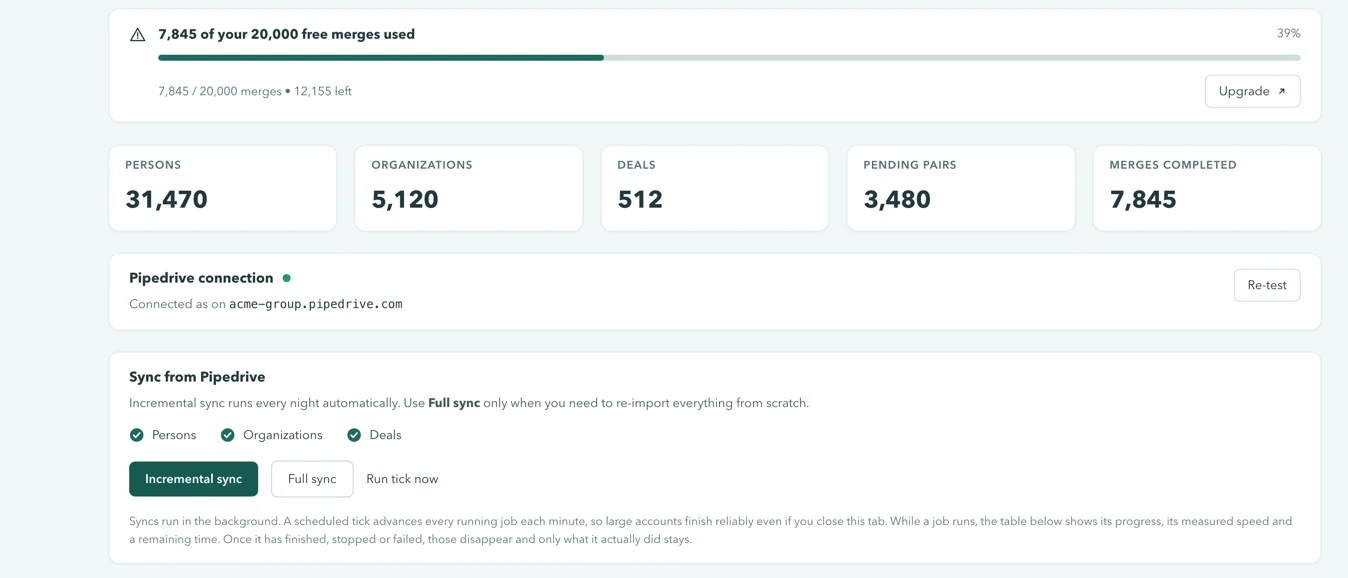
- Sync. It pulls your people and organisations from Pipedrive, with email, phone, organisation, owner and deal count.
- Apply rules. Your rules match on email, phone, name and domain, either exactly or with a threshold for names that are nearly the same. It only compares records that share a key, so it holds up with tens of thousands of records.
- Sort the proposals. Each pair gets a confidence level: certain, likely or review. You start with the easy ones.
- Preview and merge. You see both records side by side and pick which one survives. Only after you approve does the merge go to Pipedrive.
Three rules come ready to use. The same email counts as certain. A nearly identical name plus the same phone number counts as likely. A similar name plus the same email domain goes to review. You adjust them to how your data was actually entered.
Why does Surge Dedupe never merge automatically?
Because a merge in Pipedrive cannot be undone. A rule can look certain and still be wrong.
Take a bakery chain with branches in Utrecht and Amersfoort. Same email domain, nearly the same name, so a rule on name and domain lines them up as a pair. This is exactly the kind of pair the review is there to stop. They are two branches, each with its own account manager, its own deals and its own contacts. Merge them and every deal and contact sits on one organisation. You will not get the split back, short of untangling it all by hand.
That is why you review before merge, every time, bulk actions included. Before each merge Surge Dedupe asks for confirmation once more and tells you it is permanent in Pipedrive. A pair you skip simply stays in the queue.
What happens to deals, activities and notes in a merge?
They move to the record that survives. Surge Dedupe uses Pipedrive's own merge, which brings the deals, activities, notes and emails of the other record over to the surviving one. No deal disappears, but you do choose which record becomes the base.
You choose with a survivorship rule. Surge Dedupe suggests a winner based on the oldest record, the newest, the one with the most deals or the most complete one. You can flip the winner per pair with one click.
After the merge, the audit log records which record stayed, which one was merged into it, who did it and when. From the log you open the surviving record straight in Pipedrive.
How do you run a large Pipedrive clean-up?
In a fixed order, with the most certain pairs first. This is how we do it for clients:
- Export first. An export of people and organisations from Pipedrive is your reference if you need to look something up later.
- Start with organisations. People hang off an organisation. Once the duplicate organisations are gone, many duplicate people end up in one place on their own.
- Then people. Clear the same-email pairs first, then the likely ones, and the review pairs last.
- Let it run in the background. Large merge jobs run in the background, so your team keeps working in Pipedrive. If a pair fails, it is marked as failed and the rest of the batch carries on.
- Name an owner. One person decides when in doubt. Otherwise the tricky pairs sit in the queue forever.
For a first clean-up of tens of thousands of records, plan for a few hours of review. After that it is upkeep: a monthly duplicate check, or one after every large import. If your duplicates come from a switch, see how we handle a CRM migration. There we deduplicate in staging, before the data reaches Pipedrive.
After an import or migration: where Surge Dedupe fits
Most duplicates are born in an import. A list from a trade show, an export from an old CRM, or two teams each loading their own file. Moving into Pipedrive with Surge Shift? Run Surge Dedupe right after the move. To scope a migration yourself first, read the guide to CRM data migration.
Clean records are also what reporting stands on. Surge Reports shows your pipeline across objects, but that picture only adds up once the same organisation is not in Pipedrive three times.
Questions we often get
Short answers. Anything else, ask us directly.
Does Surge Dedupe merge automatically?
No. Every merge goes through a review, bulk actions included. A wrongly merged organisation cannot be undone, so we built it this way on purpose. You preview both records side by side, pick the one that survives and confirm the merge. Only then does anything go to Pipedrive.
Can I undo a merge?
No. A merge in Pipedrive is permanent, and that includes a merge made from Surge Dedupe. That is what the review is for. The audit log does show exactly which record stayed, which one was merged into it, who did it and when. For extra certainty, export your data from Pipedrive before a large clean-up.
Does it work on leads?
No. Surge Dedupe works on people and organisations in Pipedrive. Leads in the Pipedrive leads inbox are out of scope. A lead is linked to a person or organisation, though, so once you deduplicate those, your leads sit on one record as well. In practice that solves most of it.
How long does a first scan take?
That depends on the number of records and on the limits of the Pipedrive connection. Syncing and detection run in the background, so you do not have to stay with it. Most of the work is the review afterwards. How to get through it fastest in a large clean-up is in the section on large clean-ups above.
Can my team keep working during a clean-up, and will they notice?
Yes, they keep working in Pipedrive. Surge Dedupe respects Pipedrive's rate limits and retries when Pipedrive does not respond for a moment. Your team notices it mostly through the result: duplicate organisations disappear, and deals, activities and notes end up on one record. Anyone with access to Surge Dedupe can see in the audit log what was merged and by whom.
Which field values are kept when two records disagree?
Those of the record that survives. Pipedrive does the merge itself, and where both records hold a value in the same field, Pipedrive keeps the surviving record's value. So check which record is the winner before you merge. If the values you want to keep sit on the other record, flip the winner. Deals, activities and notes from both records come along.
Does it work with HubSpot or Zoho?
No. Every Surge product works with Pipedrive only. Moving from HubSpot or Zoho to Pipedrive? Then we deduplicate during the migration, in staging, before the data reaches Pipedrive. After that Surge Dedupe keeps it clean.
See how many duplicates you have.
Connect Pipedrive and review the proposals. Your first 10,000 merges are free, then it is 90 euros a month.