

Move data. Keep momentum.
Surge Shift moves CRM data into Pipedrive with mapping, staging and a dry run first.
You see what made it across, and what did not.
- Solves
- When you switch to Pipedrive, you only find out afterwards what did not come across.
- Who it is for
- Teams switching to Pipedrive or moving between two Pipedrive environments
- Price
- On requestPrice depends on your situation
- Implementation
- €500 one off, excluding VATSet up by Sales Surge. The licence is separate.
- Works with
- Pipedrive, HubSpot (via our team), Salesforce (via our team), Zoho (via our team)
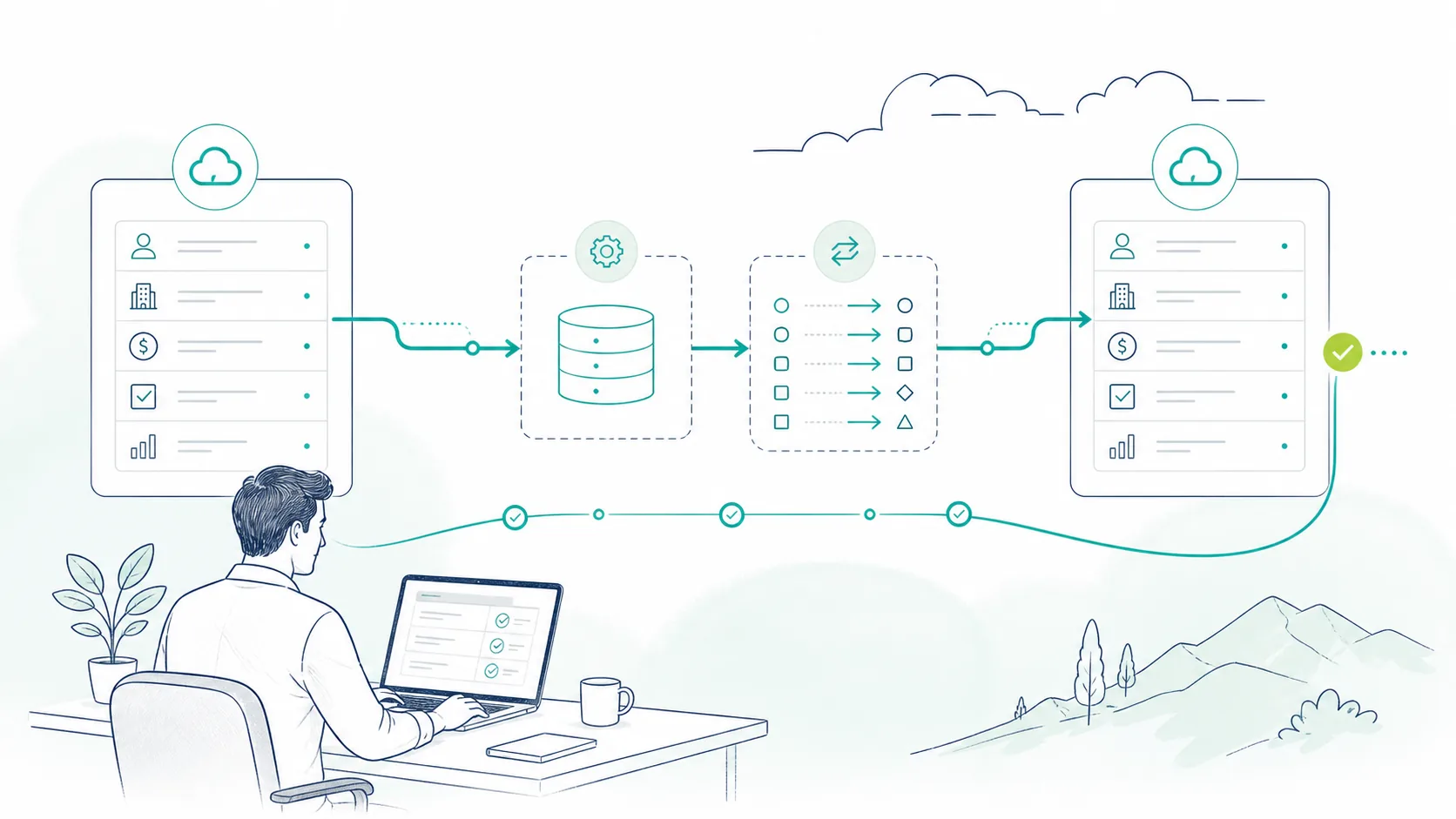
What it does
Mapping first
Users are matched on email, pipelines and stages on name. Custom fields missing in the target are created, options included.
A dry run before anything moves
Every step runs as a test first. Per record you see whether it would move, be skipped or fail, and why.
Status per record
Every migration is its own project with a history. Afterwards you count, per object, what came across.
What it does not do
Rethink your data model. A mess in the source comes out as a mess on the other side. And Surge Shift always moves data into Pipedrive. Moving to Zoho or HubSpot? Our team does that as a service, not Surge Shift.
Built for Pipedrive

Built by a Pipedrive Platinum Partner, top 8 worldwide since July 2026.
In short
Surge Shift is our Pipedrive migration tool. It pulls the source data into staging, maps users, pipelines and custom fields, and runs a dry run before anything is written. Then the records move in batches, in a fixed order. If your data sits in HubSpot, Salesforce or Zoho, our team moves it using the same method.
Source: Sales Surge, product information November 2026
How does a Pipedrive migration with Surge Shift work?
A migration with Surge Shift runs in five steps, and each step has to finish before the next one opens. That is not red tape. A deal cannot land without its organization, person and stage, so the order is fixed.
- Connect the source. You connect the source and target accounts with an API token. The connection is tested on the server, so the token never reaches anyone's browser.
- Map the fields. Users are matched on email so deal and activity owners stay right. Pipelines and stages are matched on name, and anything missing gets created. The same goes for custom fields and their options.
- Dry run. Every step runs as a test first. Per record you see whether it would move, be skipped or fail. A note without a deal or a deal missing a required field shows up here, not on Monday morning.
- Migrate in batches. Then the records move for real, in this order: users, pipelines, stages, organizations, people, deals, activities, notes, products and files.
- Count afterwards. Per object you see how many records moved, were skipped or failed, with the reason next to each one. That is your check, not a feeling that it probably went fine.
How long it takes depends on the number of records, the files and Pipedrive's API limits. That is why we do not quote a fixed timeline up front. The dry run tells you what to plan for.
What moves across in a Pipedrive migration?
Everything attached to your deals moves across and stays linked. Not every object moves as easily though. Here is what to expect per object.
| Object | Moves across | What to watch |
|---|---|---|
| Users | Matched, not created | Users have to exist in the target account. We match them on email. |
| Pipelines and stages | Yes | Matched on name. A missing stage is created. |
| Organizations and people | Yes | With their custom fields. Duplicates move too, so dedupe first. |
| Deals | Yes | With owner, stage, organization and person. |
| Activities and notes | Yes | Linked to the deal, person or organization they belong to. |
| Products | Yes | In a step of their own, after the deals. |
| Files | Yes, as the last step | Lots of attachments, or large ones, take time. Plan them separately. |
| Synced email | No | Mail that Pipedrive pulls from your mailbox is not part of the steps. You reconnect the mailbox in the new account. |
One thing before you start. What you do not use in the source does not need to come along. A migration is the cheapest moment to leave old fields and empty pipelines behind.
Pipedrive to Pipedrive: when do you need it?
You need a migration between two Pipedrive accounts when your data sits in the wrong account.
- A merger or acquisition. Two companies, each with its own Pipedrive, carry on in one account.
- A split. A business unit goes its own way and takes its customers and deals with it.
- A fresh account. You start clean with a tidier setup and do not want to lose the history.
- A test account going live. You built the setup in a separate account and now want the data in the real one.
This is also where it tends to go wrong. Exporting to CSV and importing on the other side easily breaks the links between deals, people and activities. Then you end up with notes that belong to no deal. Surge Shift keeps those links intact, because it moves the objects in a fixed order.
Run a Pipedrive migration yourself or outsource it?
A Surge Shift migration is always one you outsource to us: we run Surge Shift, you approve the mapping and the dry run results. That fits when you move from Pipedrive to Pipedrive and your setup is already right. If you come from another CRM, or want to fix the setup along the way, it becomes a migration as a service.
If your data lives in HubSpot, Salesforce or Zoho, our team runs the migration. We use the same method: mapping first, then a dry run in staging, and the real move only at an agreed moment. Your team switches over once, without a stretch where two systems run side by side.
| With Surge Shift | As a service from our team | |
|---|---|---|
| Route | Pipedrive to Pipedrive | HubSpot, Salesforce or Zoho into Pipedrive, and between Pipedrive, HubSpot and Zoho |
| Mapping | We propose it on email and name, you approve the mapping and the dry run | We decide the mapping with you, per object and field |
| Data model | Moves as it is | Can be redesigned in the same round |
| Right when | Your setup works and you only need to move | You also want to change fields, pipelines or automation |
Moving to Zoho or HubSpot? Our team does that as a service, not Surge Shift. We implement HubSpot and Zoho too, and we migrate between all three. Sales Surge is a Pipedrive Platinum Partner with more than 150 CRM implementations delivered.
Questions we often get
Short answers. Anything else, ask us directly.
How long does a migration of 10,000 records take?
It depends less on the number of records than on what hangs off them. Activities, notes and especially files take time, and Pipedrive limits how many API calls you can make per minute. That is why we do not quote a fixed timeline up front. The dry run shows per step how many records there are and where things fail, and we plan the cutover on that.
Can I run a test first?
Yes, that is the default. Every step runs as a dry run first. Per record you see whether it would move, be skipped or fail, and why. Nothing is written to the target account in that round. Only once you approve the result do we run the step for real.
What happens to custom fields?
They move across. Fields that already exist in the target account are matched on name. If a field is missing, it is created with the same type, and missing options are added. The dry run shows per field what gets matched and what gets created.
Do deal owners stay the same?
Yes, as long as the user exists in the target account. Users are matched on email, and that is the first step of every migration. If a colleague has left or uses a different address in the new account, you choose who inherits their deals and activities.
Can Surge Shift migrate Pipedrive to Zoho or HubSpot?
No, Surge Shift always moves data into Pipedrive. If you are moving from Pipedrive to Zoho or HubSpot, our team does it as a service. We implement both, and Sales Surge is a fully certified Zoho partner. The method stays the same: mapping first, then a dry run, then an agreed cutover moment.
What if my data is messy?
Then deduplicating with Surge Dedupe first is the cleaner route, because duplicates move across like any other record. If you also want to rework fields and pipelines, have us set up the data model properly in a CRM implementation. That starts from €2,950 and takes 2 to 4 weeks.
Read next
- CRM migration
shows how we run a switch as a service, from scope to cutover.
- HubSpot to Pipedrive migration
covers what moves across and what you decide up front.
- The HubSpot to Pipedrive checklist
is the list to work through before and after the switch.
- CRM data migration
explains where data migrations usually go wrong.
- Surge Dedupe
finds duplicate records before you move them.
See what moves at every step.
Plan the move with us. We start with the scope and a dry run, so you know up front what will land.