
Masterclass: an AI-ready CRM
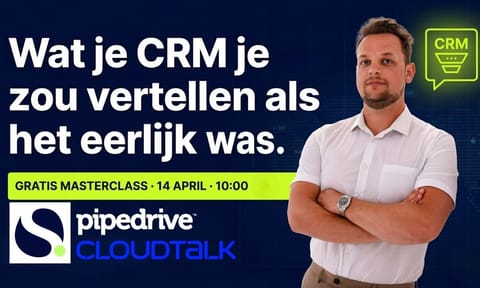
A 42 minute recording about the CRM you already have, set up so AI can work with it. Below the video we work out the checklist and a lead scoring model.
Watch the masterclass
- On-demand
- 42 min
- Checklist on this page
The recording runs 42 minutes and plays here on the page, without signing up. For people who run a CRM or lead a sales team. Recorded on 14 April 2026.
What the recording covers
We don't name an AI tool to buy. If you still sell from a spreadsheet, this recording comes too early.
A five step checklist
Five steps to get your CRM ready for AI, in the order you work through them in your own account.
Which fields to keep
Which fields you need and which agreements your team makes about them, with a fixed core per object.
Lead scoring with three signals
Lead scoring with the tools you already have, starting from three signals.
In short
A CRM is ready for AI when the data is right. This 42 minute masterclass is about the CRM you already have: a five step checklist, which fields to keep, lead scoring with three signals, and GDPR and data quality. Below the video we work out the checklist and a scoring model, so you can use them without the recording.
What does an AI-ready CRM mean?
It means an outsider can read your CRM without anyone explaining it. An AI model is that outsider. It does not know that one stage really means something else, or that a certain field always stays empty. It takes the data as it is.
AI reads your CRM as it is. If the fields are empty, the deal summary is empty too. A forecast built on deals that have not moved in months is a bad forecast. That is why every AI project with us starts with the data, and only then with the tool.
Checklist: an AI-ready CRM in five steps
Work through the steps in this order. Step 1 makes step 2 smaller, and so on.
- Clean up the pipeline. Mark open deals without activity that are older than twice your sales cycle as lost, with a reason from a fixed list. What is left is your real pipeline.
- Deduplicate organizations and people. Duplicates split one customer's history across two records. Always deduplicate with a review first, never by blind automatic merging.
- Cut fields nobody uses. Work out how often each field is filled. Keep only fields that drive a decision or a report, and turn free text into dropdowns.
- Define what must be true per stage. Write one sentence per stage on what must be true, and make the few fields that go with it required in that stage.
- Let the CRM record what it can. Emails, calls and meetings should land in the deal automatically. Whatever a rep has to retype does not get filled in on busy days.
Which fields do you actually need?
Fewer than you think. For most B2B teams we end up with a fixed core per object, plus a handful of fields that belong to how you sell. Every field has an owner who decides what goes in it.
| Object | Core fields | Why |
|---|---|---|
| Organization | Industry, size, country, source | Needed for the fit signal in lead scoring and for reports per segment. |
| Person | Role, decision maker yes or no, email, phone | Tells you whether you are talking to the right person. |
| Deal | Value, expected close date, owner, next activity | Without these four, a forecast is guesswork. |
| Lost deal | Reason from a fixed list | Shows where deals get stuck, and is good input for AI. |
Agree on who may create new fields. If the answer is everyone, you will have forty again within a year.
How does lead scoring with three signals work?
You give every lead points on three signals your CRM can already record. You do not need a data scientist, only a few fields and an automation that adds them up.
- Fit. Does the organization match your ICP? Points for the right industry, size and country. This signal rarely changes.
- Behaviour. Is the person doing something? Points for a submitted form, a visit to your pricing page or a reply to an email. This signal decays: anything three months old counts for less.
- Contact. Are you talking to the right person? Points if the contact makes the decision or has direct influence on the purchase.
Set a threshold above which a lead goes straight to a rep, and one below which it stays in a nurture series. After a quarter, check which won deals scored above the threshold and adjust the points. For the next step with AI in Pipedrive, read the article on AI lead scoring in Pipedrive.
To be fair: a predictive model that learns by itself which traits lead to a deal only makes sense once you have hundreds of won and lost deals. Below that, a points model with three signals is more honest.
Which GDPR and data quality traps do we see most?
- Personal data in free text fields and notes, where you cannot find it when someone asks to be deleted.
- No recorded legal basis for contacts from bought lists or enrichment tools.
- Data sent to an AI tool without knowing where it is processed.
- Old contacts that are never cleaned up, so you keep emailing people who left years ago.
This is not legal advice. Run your approach past whoever handles privacy in your company before you connect personal data to an AI tool.
What comes after the checklist?
Once your data is in order, you can put AI to work on one clearly scoped process, such as following up new leads or summarizing calls. In our AI Sprint we build one AI sales agent connected to your CRM in ten working days. The foundation underneath is described in the whitepaper on the AI-based commercial system.
If you still sell from spreadsheets, this comes too early. Start with a CRM implementation.
Further reading
- Whitepaper: AI-based commercial systemThe foundation under AI in sales: data, processes and integrations.
- AI SprintOne AI sales agent, connected to your CRM, built in ten working days.
- AI lead scoring in PipedriveHow to build lead scoring in Pipedrive and where AI helps.
- From Excel to CRMFor teams that do not use a CRM yet: where to start.
Want to know how far your CRM is?
In the free growth scan (Quick Scan) we look at your CRM, data and workflows. Within 48 hours you know what to fix first.
What it covers
Your CRM knows who your best leads are and which deals have been dead for months. It just doesn't tell you, because the fields are half empty and nobody ever decided what should go in them.
You don't need to start over or move to another platform. You need a plan for the CRM you already have. What we don't do is tell you which AI tool to buy. That only comes once your data is right.
Who it is for
B2B Sales & RevOps
Heads of Sales, RevOps leads, CRM owners and founders of B2B scale-ups and SMBs who want to put AI to real use in their sales process. Whether you use Pipedrive, HubSpot or another CRM makes little difference. If you still work from a spreadsheet, this is too early and you are better off starting with a CRM.

Questions about an AI-ready CRM
Do I need to sign up to watch the recording?
No. The 42 minute recording is open on this page and starts without a form. You can pause it and continue later. Below the video we work out the five step checklist and a lead scoring model with three signals, so you can use them without watching.
Does this apply if I don't use Pipedrive?
Yes. The checklist is about fields, team agreements and data quality, and those matter in every CRM. Most examples are in Pipedrive, because that is where we do most implementations. In HubSpot or Zoho some settings have different names, but the order of the work is the same.
When is a CRM ready for AI?
When an outsider can read what is going on with a deal without anyone explaining it. In practice: every open deal has an owner, a value and a next activity, required fields are filled in, there are no duplicate organizations and every stage means the same thing to everyone. An AI model reads your CRM the way that outsider would.
Do I need a data scientist for lead scoring?
No. The model on this page uses three signals your CRM can already record: does the organization fit your ICP, is the person doing something, and is the contact the right person. You add up points with normal fields and automations. A predictive model only makes sense once you have hundreds of won and lost deals.
What if my team still works in spreadsheets?
Then this masterclass comes too early. First you need a CRM your team actually uses, with a pipeline that matches how you sell. Only after that does it make sense to think about AI. Start with moving from Excel to a CRM, or request the free growth scan.
See where your growth opportunities are.
The growth scan has three fields. Within 48 hours you know what to fix first.